Hyperliquid is a decentralized perpetual contract and spot trading platform (DEX) built on its own high-performance L1 blockchain, providing a smooth experience similar to centralized exchanges (CEX), with no gas fees and complete on-chain transparency. It is suitable for beginners to start trading with perpetual contracts (Perps), supporting high leverage (up to 50x), primarily using USDC as collateral.
Step 1: Prepare Wallet
- Download and install a Web3 wallet that supports EVM, recommended OKX Wallet (bind invitation code: AICOIN88), download link: https://static.rmgvx.com/upgradeapp/okx-android_aicoin20.apk
- Switch to the Arbitrum Network in the wallet (as deposits are mainly through the Arbitrum bridge).
- Obtain some USDC (recommended to buy on OKX exchange and withdraw to the Arbitrum network wallet address), and keep a small amount of ETH for gas fees (needed during bridging).
Step 2: Visit Official Website and Connect Wallet
- Open the official trading page: https://app.hyperliquid.xyz/join/AICOIN88
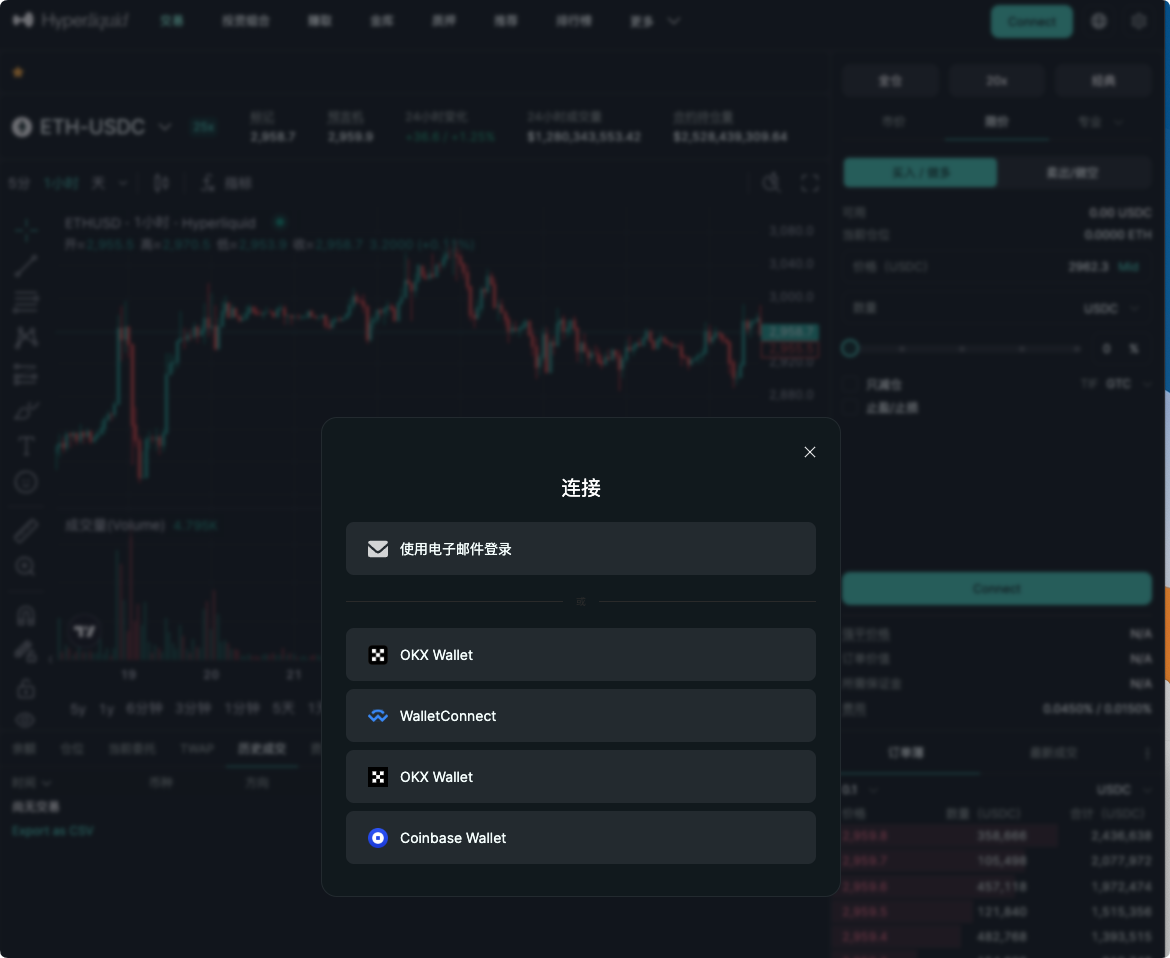
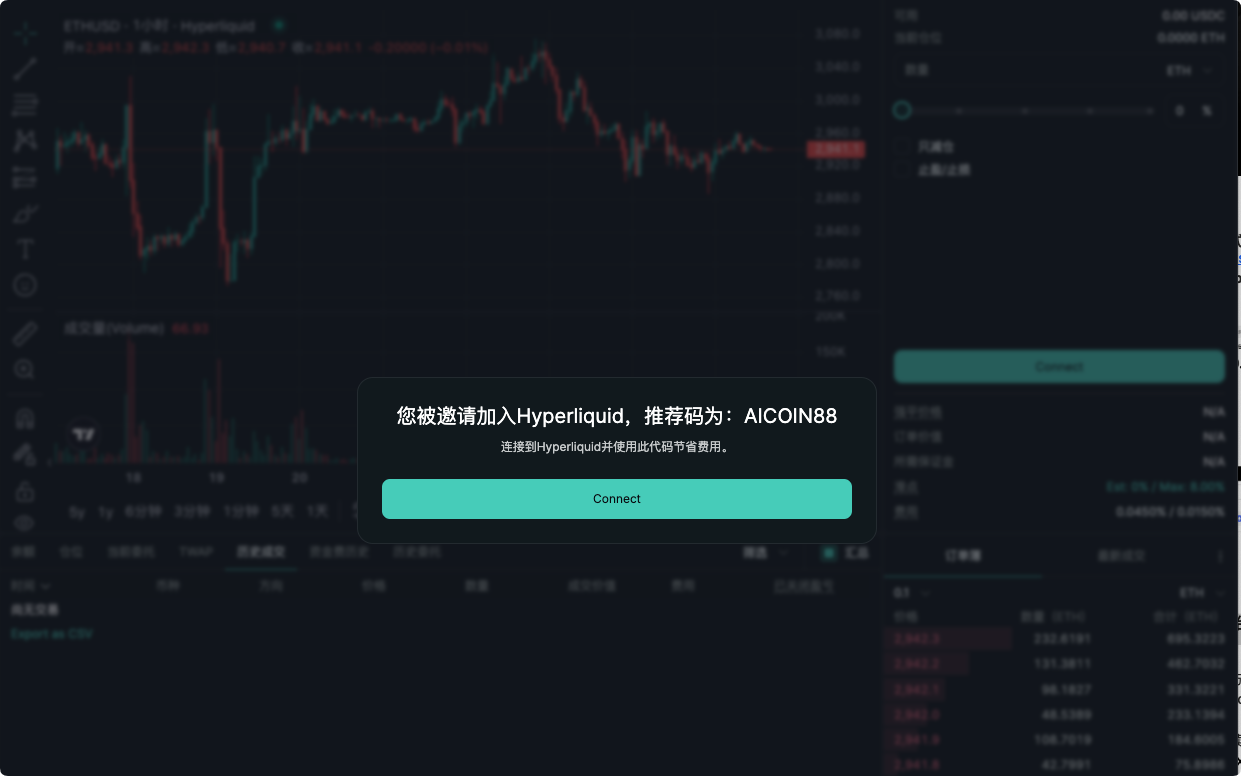
- Click the Connect button in the upper right corner.
- Select your wallet (preferably OKX Wallet), authorize the connection (no KYC, no account registration required).
- Beginners can also choose "Email Login" for a quick start (log in with email, can later export to wallet).
Step 3: Enable Trading (Must Do for First Time)
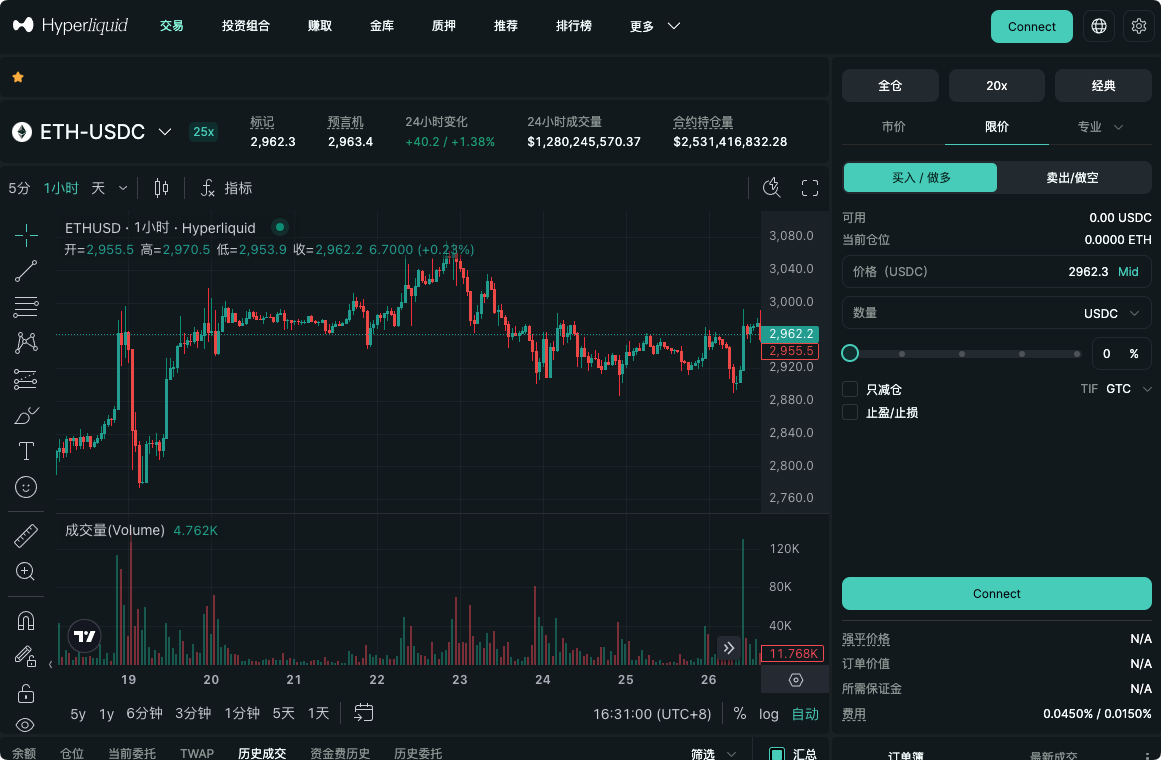
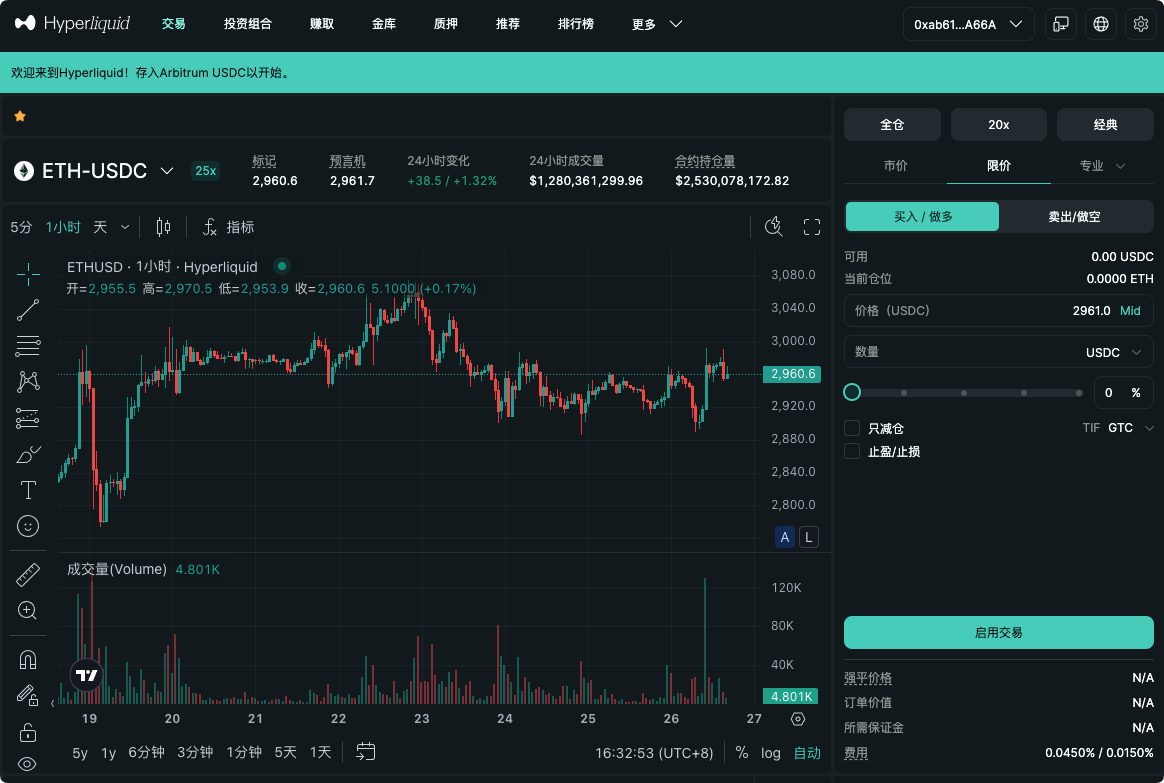
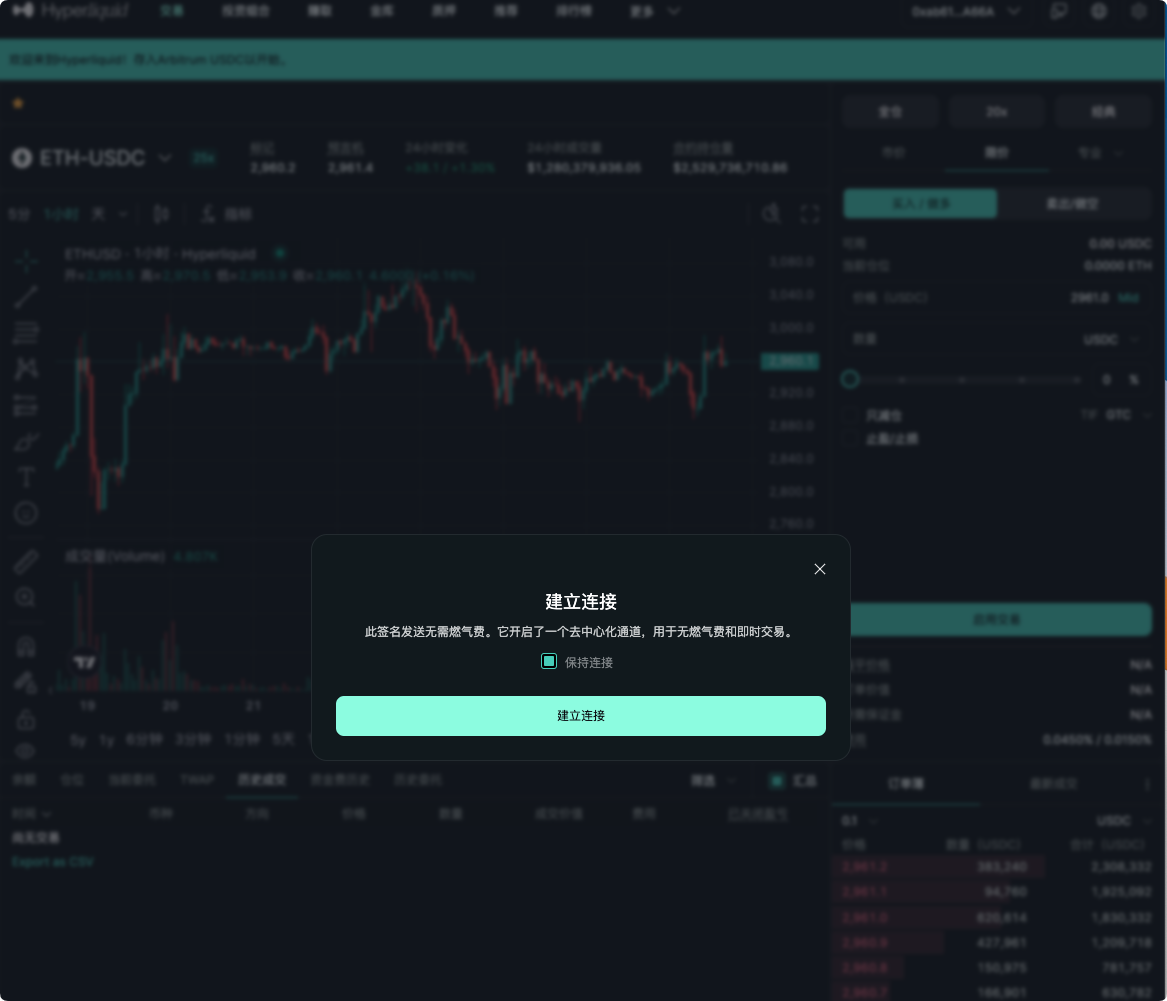
- After connecting, the Enable Trading button will appear in the lower right corner of the page.
- Click it and sign to authorize (no gas fees). This step activates your wallet's trading permissions on the platform.
Step 4: Deposit
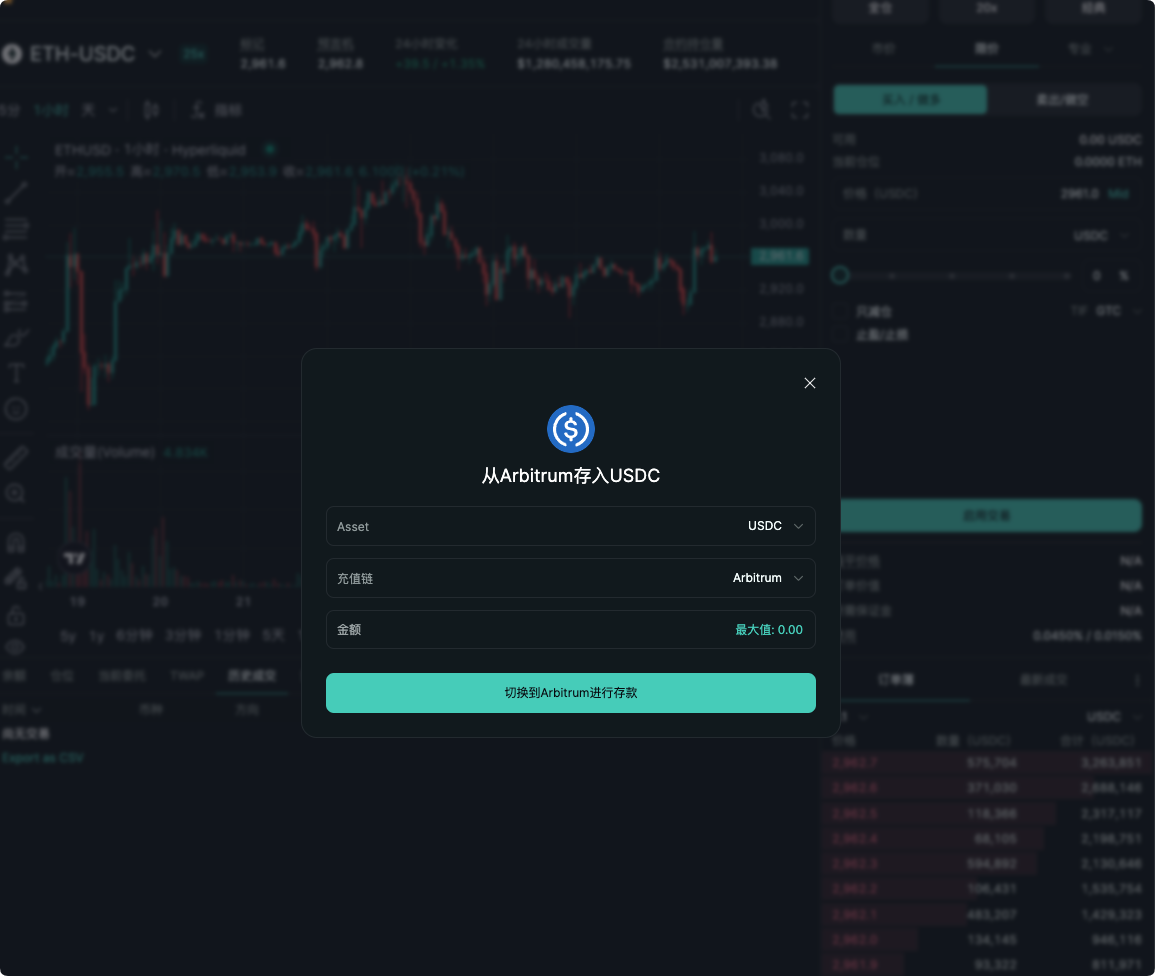
- Click the Portfolio / Deposit button in the upper right corner or at the bottom of the page.
- Select asset USDC, network Arbitrum.
- Enter the amount and confirm the deposit (arrives in seconds, no gas fees).
- Tip: It is recommended to test with a small amount for the first time (e.g., 100 USDC), and increase the amount after confirming receipt.
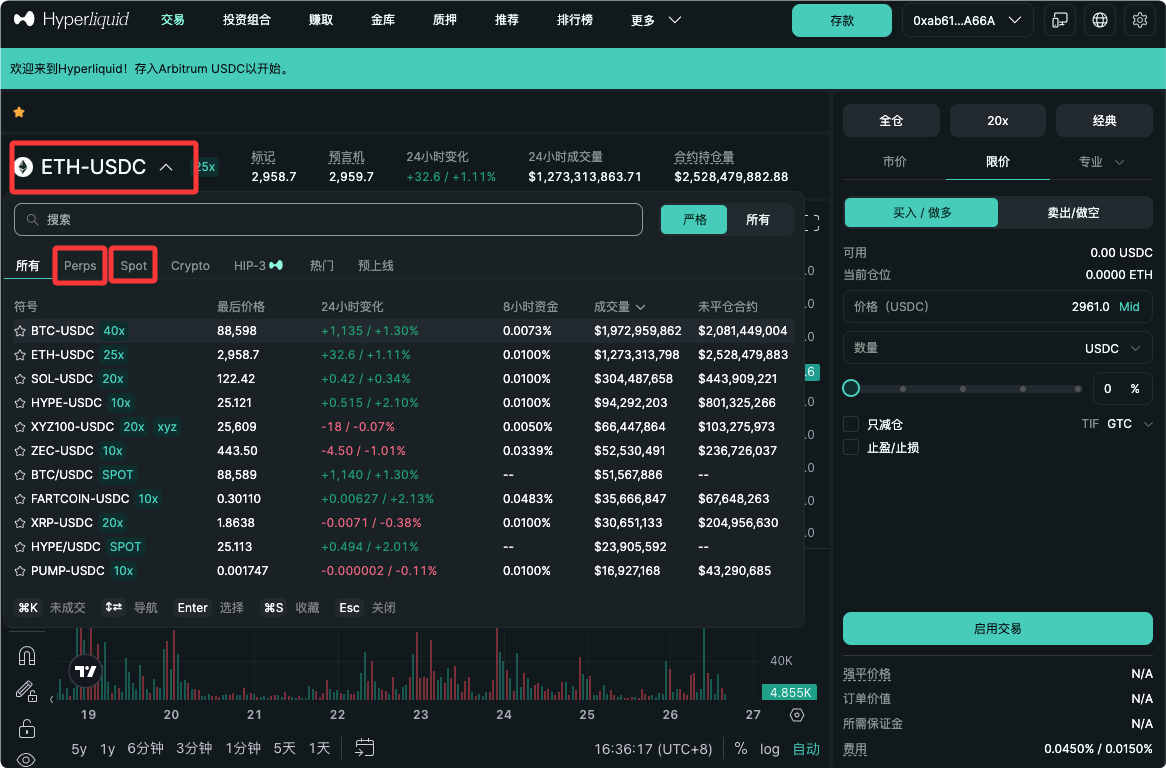
Step 5: Choose Trading Mode and Asset
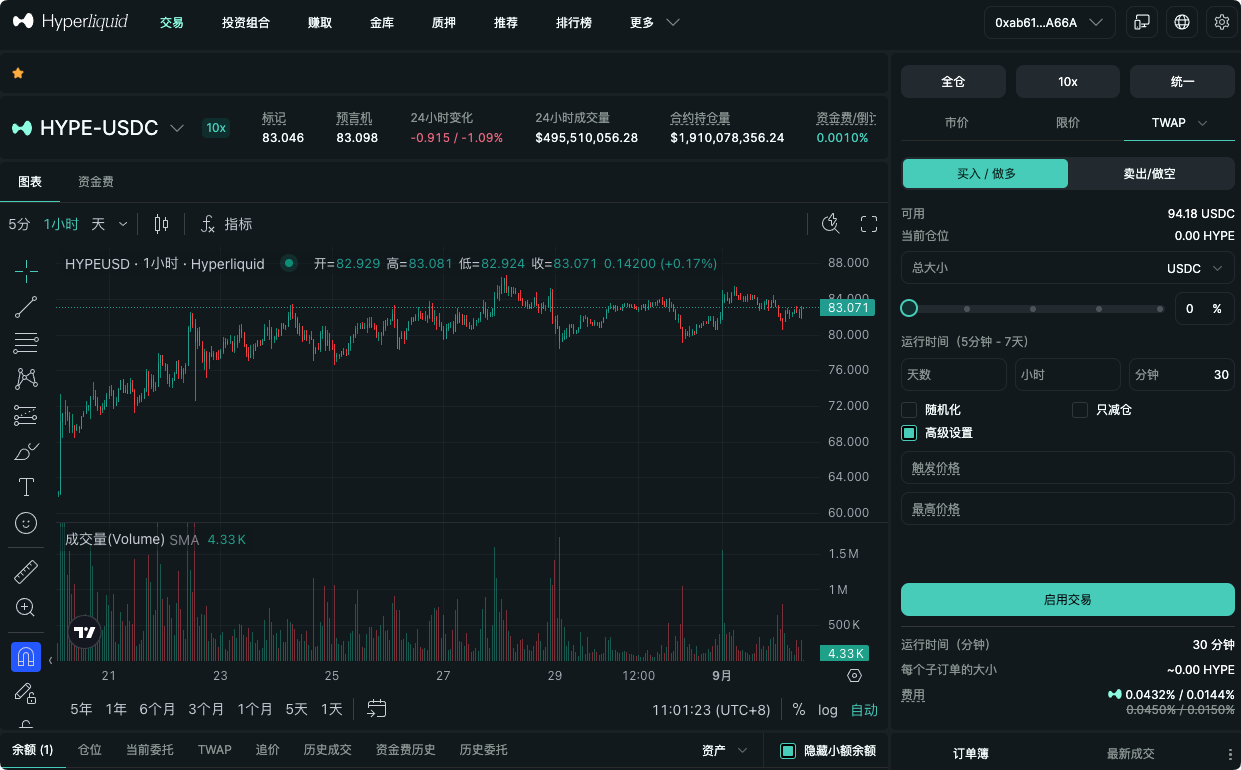
- The default is Perps (perpetual contracts), click the top trading pair area to switch to Spot (spot).
- Select trading pairs (such as BTC, ETH, etc.), view candlestick charts, and order book to analyze the market.
Step 6: Open Position (First Trade)
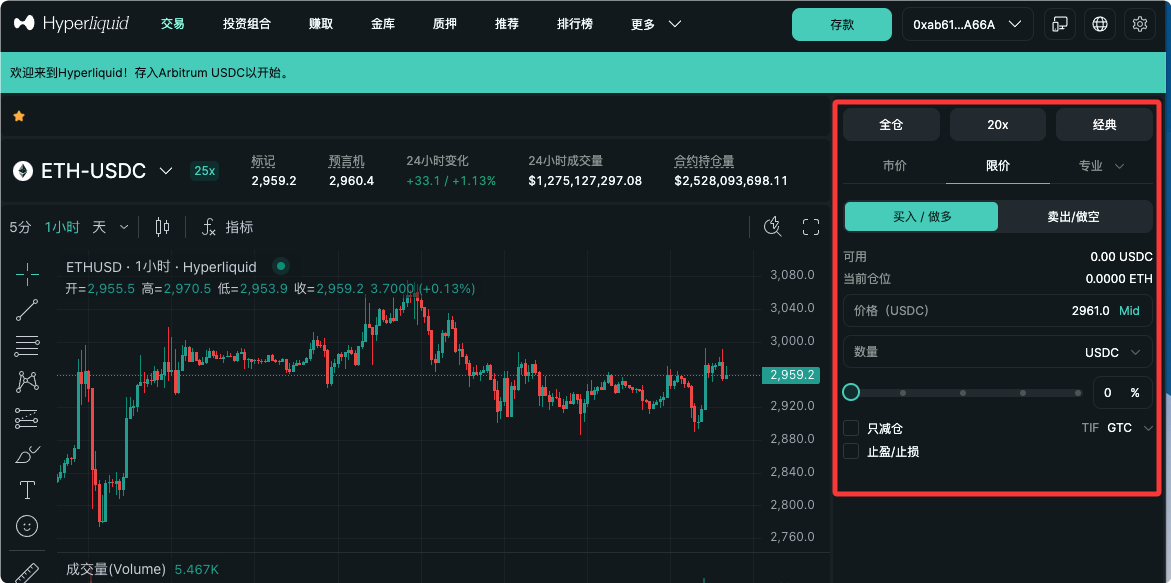
In the right trading panel:
- Choose Long or Short.
- Set leverage (beginners are advised to use 1-5x to avoid liquidation).
- Choose order type:
- Market: Executes immediately, suitable for beginners.
- Limit: Place an order at a specified price.
- Enter the quantity (or amount), optional to set TP/SL (take profit/stop loss).
- Check slippage and fees, click Place Order.
After placing the order, check your positions and profit/loss in Positions.
Beginner's Advice: Start with a small amount (risk control at 1-3% of the account), use Isolated Margin mode to limit single position risk.
Notes and Risk Warnings
- Leverage Risk: High leverage can lead to rapid liquidation; beginners should practice with low leverage.
- Funding Rate: Perpetual contracts settle every hour; pay attention to positive and negative impacts on holding costs.
- Fees: Very low (Maker rebate, Taker about 0.025-0.03%), if you bind the invitation code (AICOIN88), you can reduce fees by 4%.
- If you want to trade spot: first transfer USDC from Perps to Spot wallet (free transfer).
After completing the above steps, you have successfully initiated your first Hyperliquid trade! It is recommended to familiarize yourself with the interface and order types using a small amount of funds.
For a lower and more cost-effective trading method, use the exclusive link binding (can save 4% on trading costs)
Exclusive link for AiCoin users: https://app.hyperliquid.xyz/join/AICOIN88
免责声明:本文章仅代表作者个人观点,不代表本平台的立场和观点。本文章仅供信息分享,不构成对任何人的任何投资建议。用户与作者之间的任何争议,与本平台无关。如网页中刊载的文章或图片涉及侵权,请提供相关的权利证明和身份证明发送邮件到support@aicoin.com,本平台相关工作人员将会进行核查。