Revolutionary Upgrade from "Wallet" to "Terminal"
What are the pain points of Web3 mobile trading? Complicated operations, high Gas fees, and lack of professional tools.
Now, the OKX Wallet App officially launches the "next-generation smart account," which is not just a version update but a revolution that upgrades Web3 mobile from a "tool" to a "professional trading terminal." The smart account is the core entry point for the entire OKX Web3 ecosystem (including X Layer).
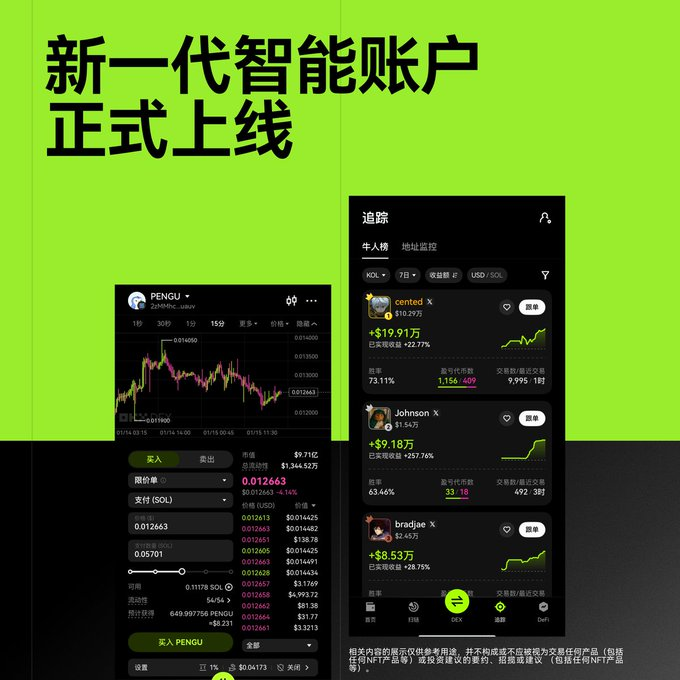
Official Definition: A mobile terminal designed for traders, simpler, safer, and more flexible.
User Experience: Say goodbye to fragmentation and achieve one-stop operations for advanced functions such as copy trading, take profit and stop loss, chain scanning, and small asset exchanges.
1. The "Superpowers" of Smart Accounts: Four Advanced Functions Every Trader Dreams Of
The next-generation smart account simplifies the originally complex on-chain operations into a one-click experience based on Account Abstraction (AA) technology. Here are the four core functions that traders care about the most:
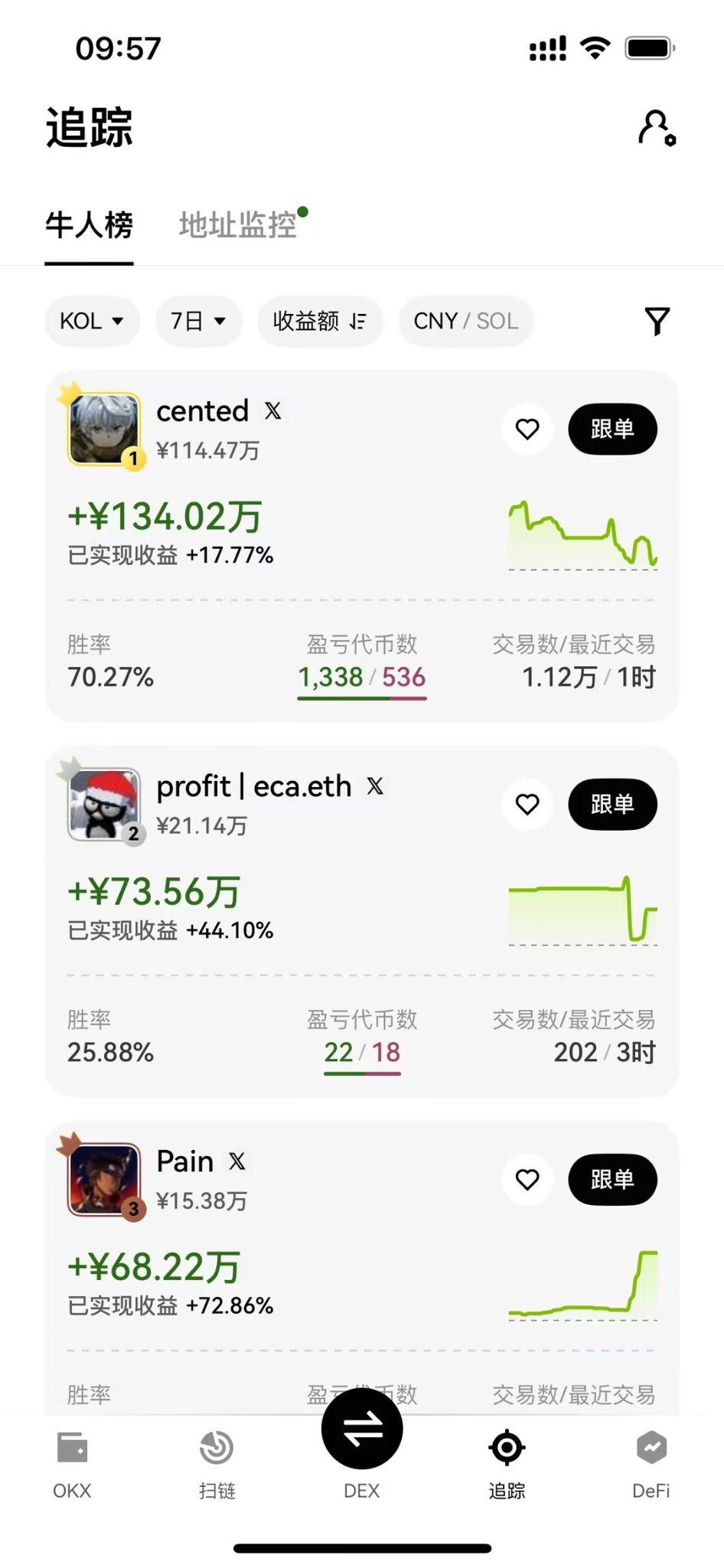
1. Automated Copy Trading and Take Profit/Stop Loss: Automate Trading Strategies
Feature Highlights: The smart account integrates copy trading and take profit/stop loss functions directly into the wallet's underlying layer. Users can set automated risk control for on-chain trades just like in CEX.
Practical Value: It completely solves the problems of "not being able to run away" and "anxiety from monitoring" in meme coin and primary market trading. You can copy the trading signals of top whales and set take profit points, allowing the system to automatically lock in profits.
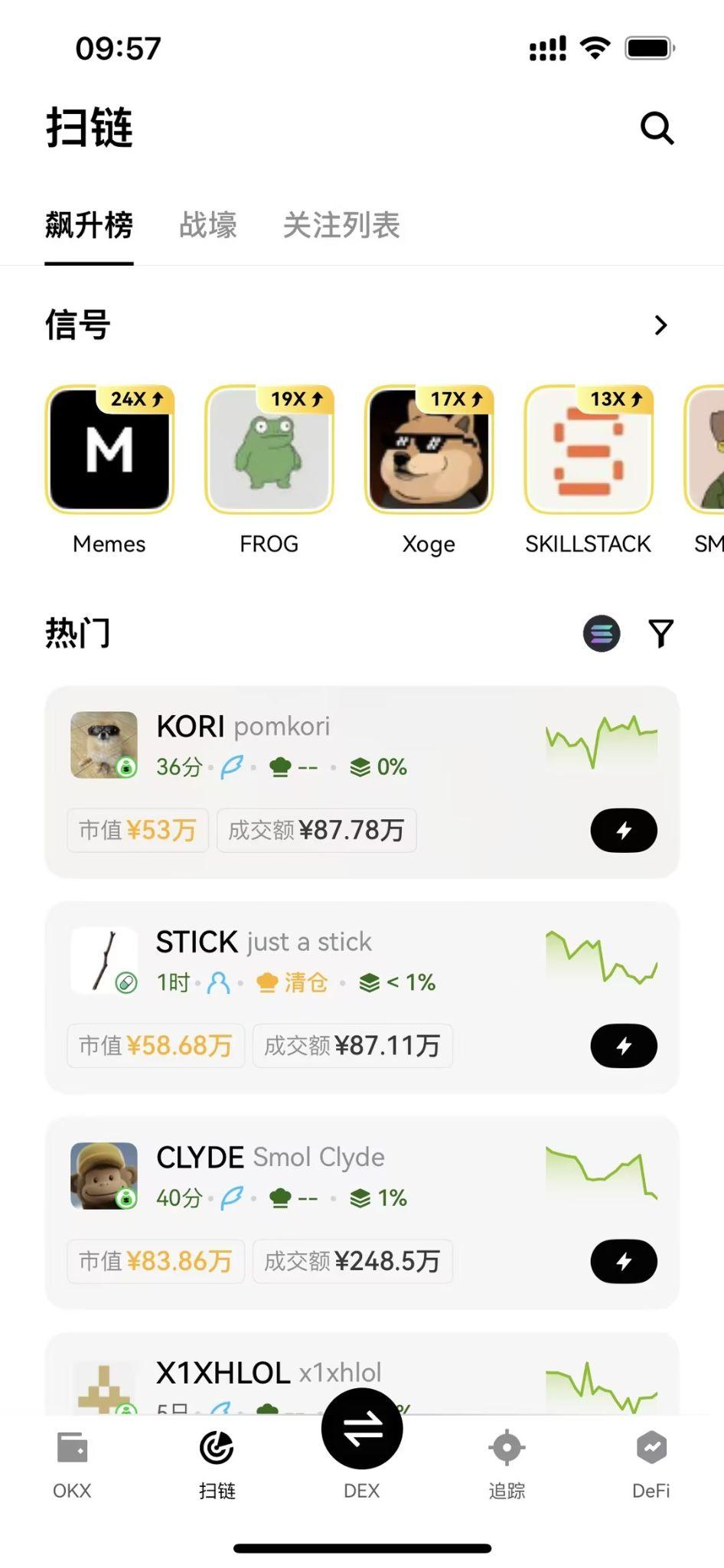
2. Chain Scanning and Small Asset Exchange: Say Goodbye to Gas Anxiety and Asset Fragmentation
- Feature Highlights: The smart account enables bulk trading and Gas-free experience (in specific scenarios). Additionally, the "small asset exchange" function addresses the issue of leftover tokens (Dust) after multi-chain interactions.
- Practical Value: It significantly reduces the cost and threshold for users interacting in multi-chain ecosystems like X Layer, making your asset management more efficient and tidy.
3. Professional K-Line and Limit Orders on Mobile: Your Trading Room in Hand
- Feature Highlights: The screenshot shows that the new terminal integrates professional K-line charts and limit order functions.
- Practical Value: Say goodbye to the hassle of frequently switching apps while checking market conditions on your phone. You can complete market analysis, set limit orders (on supported chains like X Layer), and execute trades all within one interface, truly achieving a "trading room in hand."
2. X Layer Practical Tutorial: How to Capture Early Benefits with the New Terminal?
The next-generation smart account is the "golden shovel" for capturing early benefits in X Layer. Here is a step-by-step guide:
Step 1: Upgrade the App and Activate Smart Account
- Upgrade App: Upgrade the OKX App to the latest version (6.155.0 or higher).
- Activate Smart Account: In the OKX Wallet, follow the prompts to activate or switch to the smart account with one click.
Step 2: Cross-Chain Assets to X Layer
- Select X Layer: In the wallet interface, select the X Layer network.
- Cross-Chain Operation: Use the cross-chain function of the OKX Wallet to securely and quickly bridge assets like ETH or USDC from other networks (such as Ethereum, OKTC) to X Layer.
Step 3: Practical "Hunting": Setting Up Copy Trading and Take Profit/Stop Loss
Taking part in meme coin trading on X Layer as an example:
1. Discover Signals: Go to the "Tracking" page in the OKX Wallet, check the "Top Traders" or "Address Monitoring," and lock in the top trader addresses on X Layer.
2. One-Click Copy Trading: Find a trader you trust, click the "Copy Trading" button, and set the copy amount and risk parameters.
3. Set Risk Control (Core): When copy trading or manually trading, use the smart account's "Take Profit/Stop Loss" function.
- Take Profit: Set a target return rate (e.g., 50%), and once reached, the system automatically sells to lock in profits.
- Stop Loss: Set the maximum acceptable loss (e.g., 20%), and once reached, the system automatically stops loss to protect the principal.
Practical Advantage: The automated risk control of the smart account allows you to "discover opportunities without falling behind and lock in profits without being greedy" in the high volatility ecosystem of X Layer.
Exclusive Benefits: Use the Exclusive Invitation Code to Lower Your Trading Costs!
The next-generation smart account provides you with a professional trading experience, and my exclusive invitation code can offer you real cost savings.
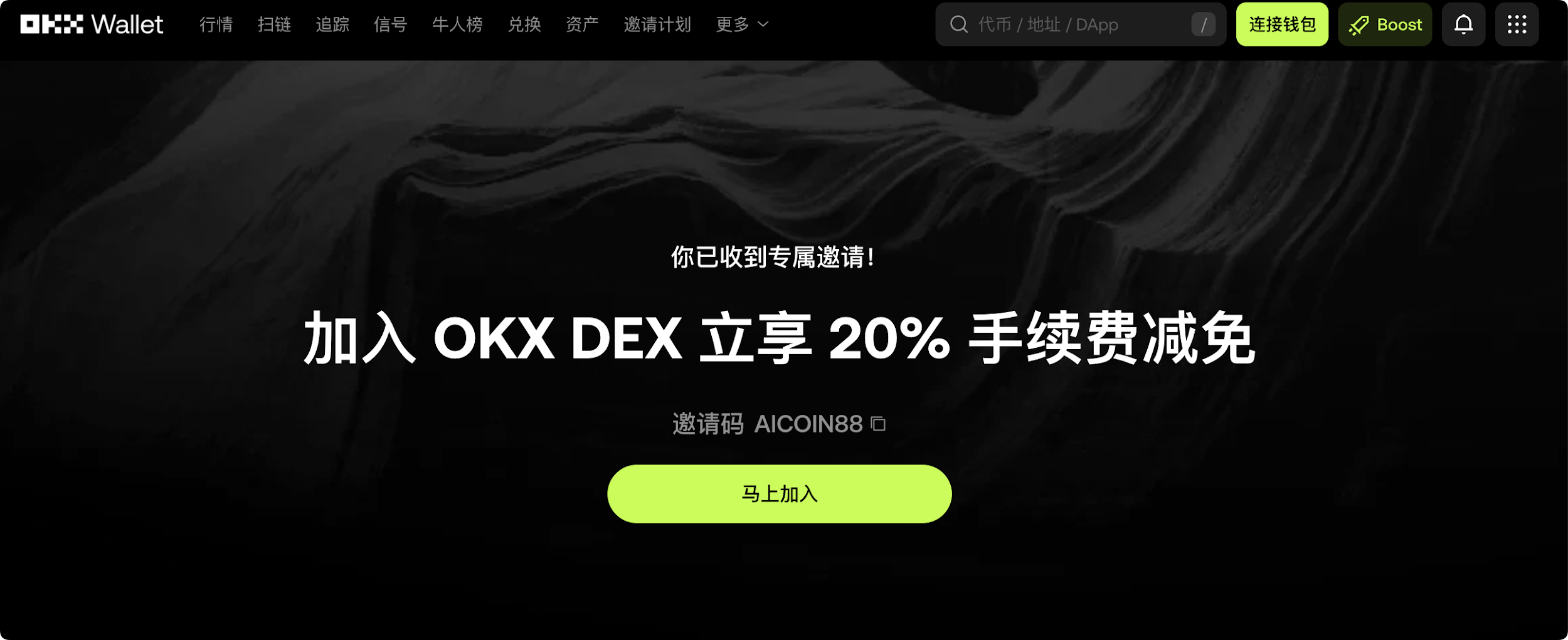
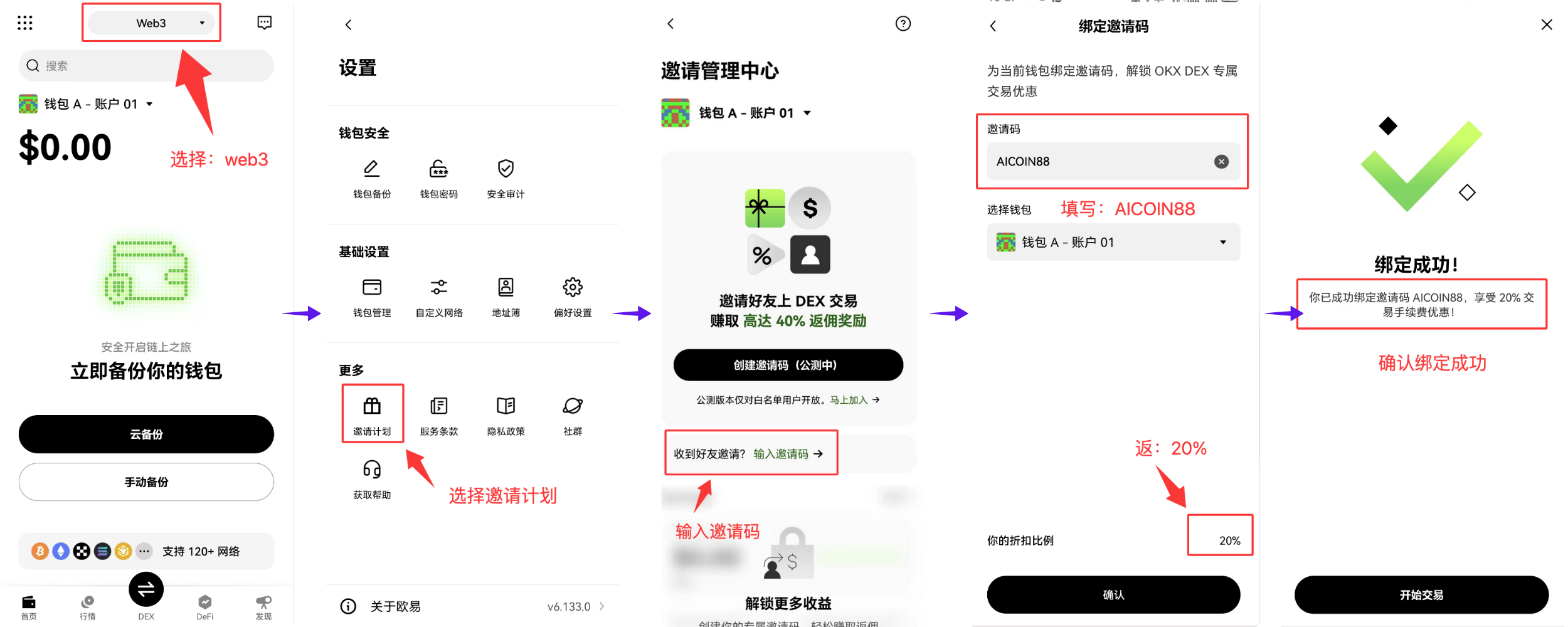
Use AiCoin invitation code [AICOIN88] to bind your OKX Wallet and enjoy up to 20% savings on trading costs when trading on X Layer!
The next-generation smart account of OKX Wallet is ready. Are you prepared to start your professional trading career on X Layer?
Special Benefits Binding Invitation Code Tutorial:
Method 1: Click the exclusive link below (invitation code is automatically filled for you):
https://web3.okx.com/ul/joindex?ref=AICOIN88
In the wallet creation/import process, confirm that the invitation code AICOIN88 is bound.
Done! Start enjoying fee reductions immediately!
Method 2: OKX App Download Link:
https://static.rmgvx.com/upgradeapp/okx-android_aicoin20.apk
How to Bind Invitation Code (AICOIN88) in the App:
Summary and Call to Action: Invitation Code is Money
Join our community, let's discuss and become stronger together!
Official Telegram Community: t.me/aicoincn
AiCoin Chinese Twitter: https://x.com/AiCoinzh
Exclusive 20% Fee Discount:
https://web3.okx.com/ul/joindex?ref=AICOIN88
OKX Benefits Group:
https://aicoin.com/link/chat?cid=l61eM4owQ
免责声明:本文章仅代表作者个人观点,不代表本平台的立场和观点。本文章仅供信息分享,不构成对任何人的任何投资建议。用户与作者之间的任何争议,与本平台无关。如网页中刊载的文章或图片涉及侵权,请提供相关的权利证明和身份证明发送邮件到support@aicoin.com,本平台相关工作人员将会进行核查。