Original Title: Claude Code + Obsidian Ultimate Guide (build an AI second brain)
Original Author: AI Edge
Compiled by: Peggy, BlockBeats
Editor's note: This article introduces a personal knowledge system built on Claude Code and Obsidian, where the core is no longer the traditional RAG model of "querying and temporary retrieval" but attempts to allow AI to continuously build and maintain an evolving knowledge base (Wiki).
Structurally, the system can be divided into three layers:
· First, the raw data layer, including notes, articles, transcripts, and other immutable input sources;
· Second, the structured knowledge base maintained by AI, completing cross-references and relationship building through continuous updates;
· Third, the Schema rules layer, which standardizes the organization of knowledge and the logic of system operation.
Based on this structure, the system operates through three core operations: Ingest, which incorporates external information into the system; Query, which allows for immediate access to knowledge; and Lint, which checks structural consistency and fixes potential issues.
Under this mechanism, knowledge is no longer relegated to one-time conversational results, but gradually accumulates into a reusable long-term asset through a cycle of "writing - organizing - reusing." The author suggests that this model enables knowledge to possess a "compound interest" accumulation effect: it reduces cognitive load for individuals while enhancing the accuracy and context consistency of model outputs.
However, the effective operation of this system is also predicated on one premise—continuous input and maintenance. Without stable data injection and structural updates, this "second brain" will struggle to form a true accumulation effect, and its advantages will weaken accordingly.
Here is the original text:
Claude Code + Obsidian is the most powerful AI combination I have ever used.
I have almost built an "AI second brain," incorporating all my thoughts, readings, writings, and online research. This includes my business plans, all YouTube videos I have published, articles I have written, and everything else that is important to me.
Claude Code + Obsidian has quickly gone viral across platforms, and this is no coincidence.
For me personally, this AI system has greatly reduced my cognitive load, allowing me to focus my energy on what truly matters—whether in business or personal life.
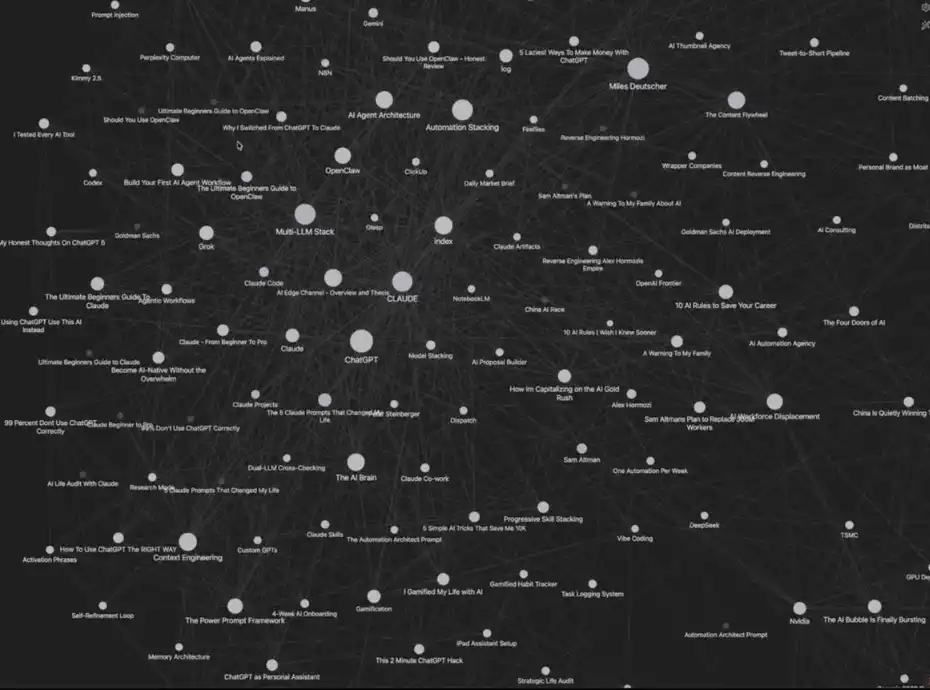
My Claude Code + Obsidian System
This system may seem a bit complex, but it can be set up in just 5 minutes. More importantly, it comes with a memory mechanism that continuously self-optimizes with use.
Next, I will guide you step by step to replicate this "AI second brain" system, which can indeed enhance your efficiency.
I recommend you read to the end of the article—I will include a complete Claude Code + Obsidian quick reference guide, along with all the resources mentioned in the text (all free).
Before You Start
This system is not solely my creation; its inspiration came from a viral tweet by Andrej Karpathy a few days ago about "LLM knowledge bases."
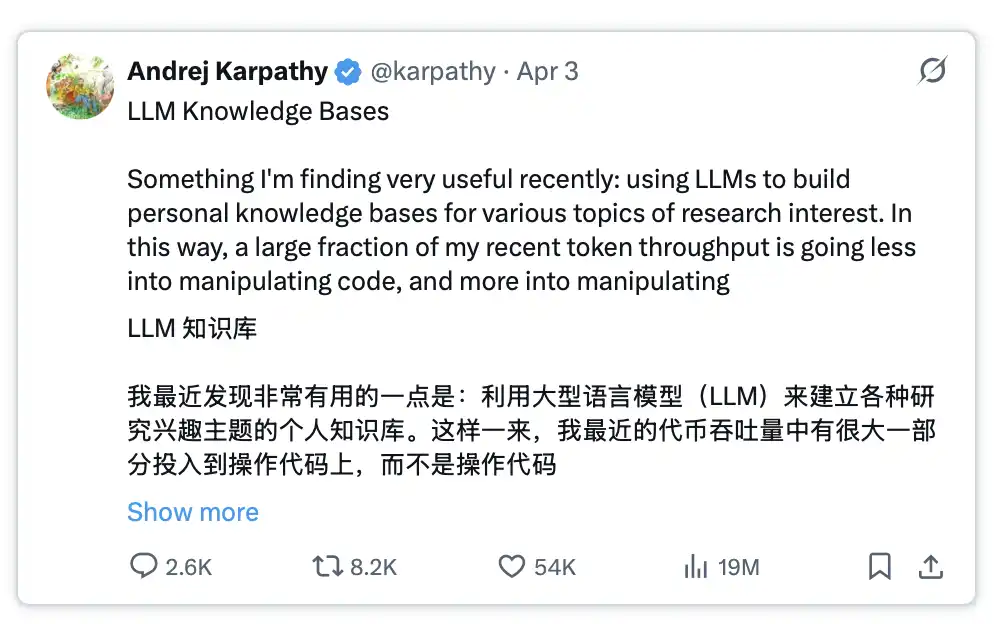
Further reading: https://x.com/karpathy/status/2039805659525644595
This tweet went viral because it provided insights into addressing a key pain point in current AI development.
The issue is: every time you initiate a new conversation or switch to a new AI tool, you must repeatedly re-enter prompts and provide context, which is equivalent to starting from scratch.
By combining this set of system prompts with Obsidian and Claude Code, this issue can be completely resolved while significantly improving the quality of AI outputs.
How Does This System Work?
The entire system consists of four core modules:
1. Your data: including articles, notes, transcripts, inspirations, etc.
2. Organization method: automatically completed by Claude Code in Obsidian.
3. Immediate calling: you can ask questions to this "database" at any time and receive answers.
4. Evolving memory: the system becomes smarter with use.
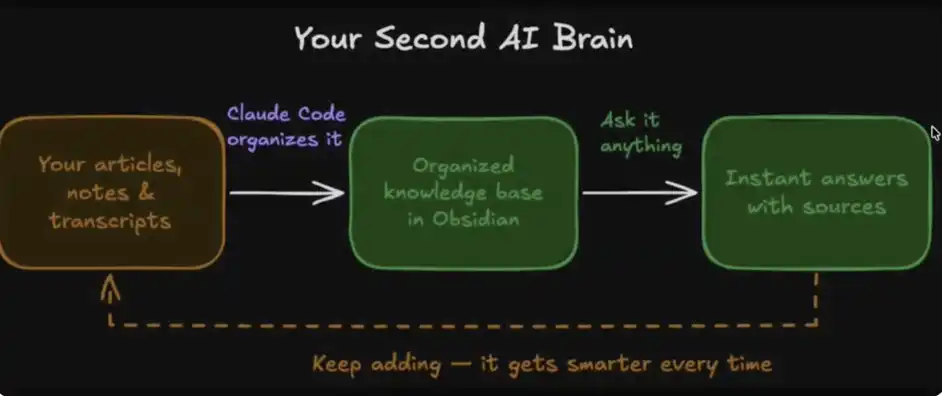
Your AI Second Brain
What is the real power of this system?
As humans, our cognitive bandwidth is limited. We forget, and sometimes it's challenging to connect different ideas; there is ultimately a cap on how much information we can track and process at once.
With the aid of this four-module system, you are effectively relieving your cognitive load and entrusting the work of "connecting, organizing, and understanding information" to Obsidian and Claude Code.
Your thoughts begin to be systematically linked together; one note can automatically relate to another, and you can extract, combine, and access this content at any time through Claude.
In this structure, your knowledge is no longer fragmented but a network that can be continually accessed and reorganized—virtually limitless.
How to Build Your AI Brain in 5 Minutes
1. Download Obsidian
Official website: https://obsidian.md/
https://obsidian.md/
2. Create Your Vault (Knowledge Base)
After downloading, Obsidian will prompt you to create a "Vault."
You can think of it as a folder on your computer; we will store all content here and allow Claude Code to access and manage this data.
The name of the Vault can be set freely—for example, I named mine "Obsidian Vault."
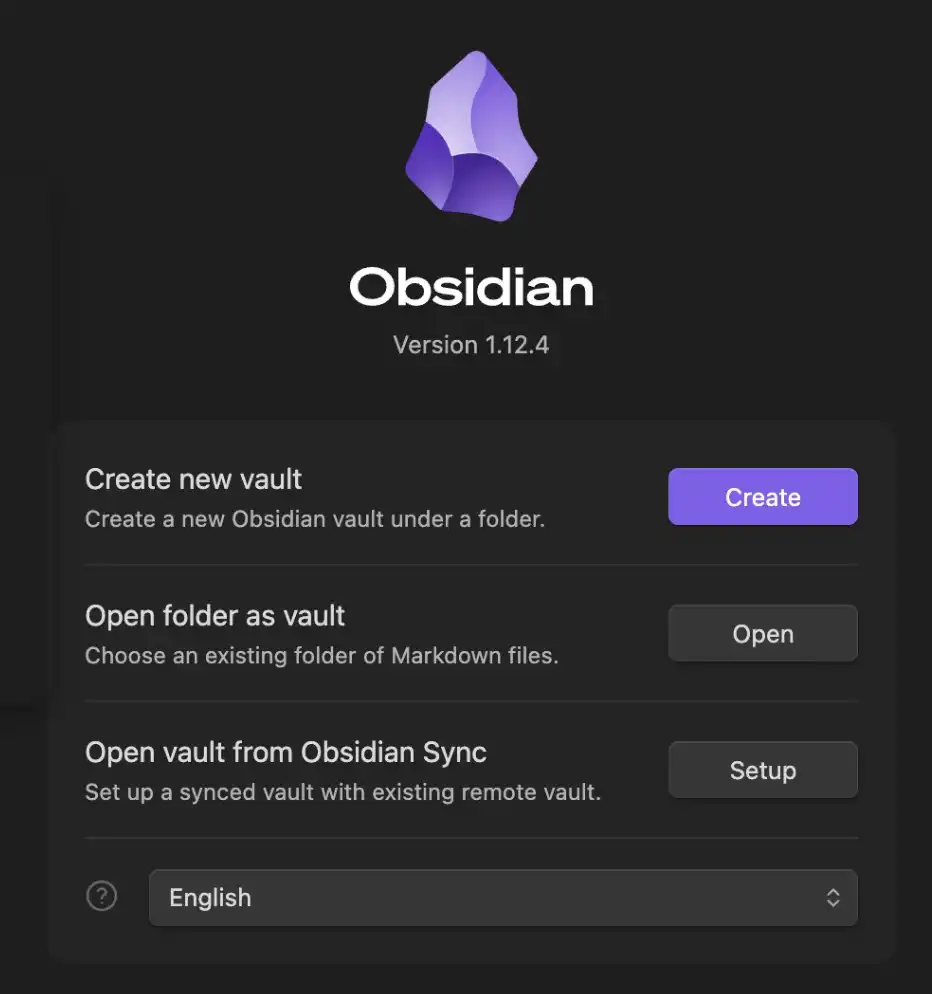
Obsidian Vault (Knowledge Base)
This Vault is the place where Obsidian stores all your data and notes, with all content saved in MD (Markdown) file format.
3. Set Up Claude Code
Next, you need to configure a way to access Claude Code. For me (and likely for most people), the simplest method is to use the desktop client directly.
In the main chat interface, click "Select Folder," then find and select the Obsidian Vault you just created.
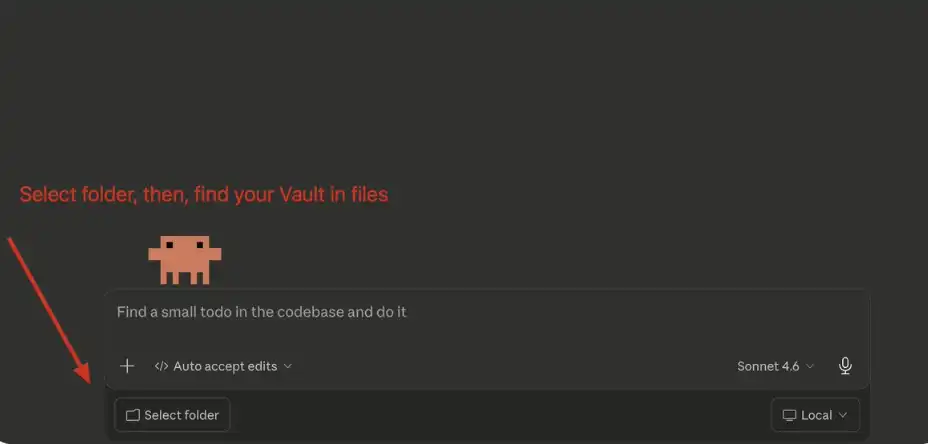
Claude Code: Connect Your Vault
4. Set Up the System Prompt
After selecting the folder, the next step is to paste Andrej Karpathy’s system prompt into the main chat box.
You can copy this prompt here: https://gist.github.com/karpathy/442a6bf555914893e9891c11519de94f
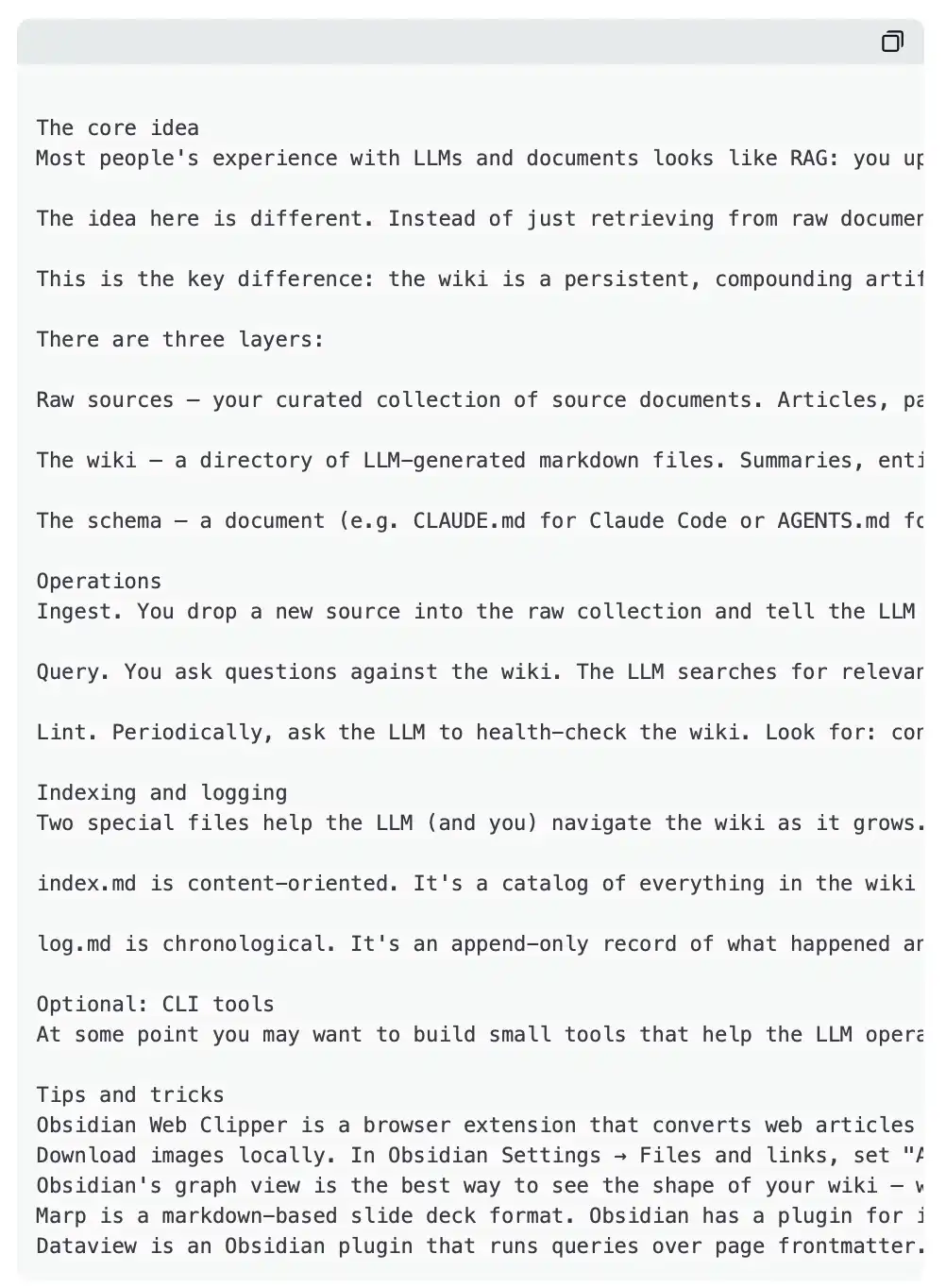
Your input should look like this:
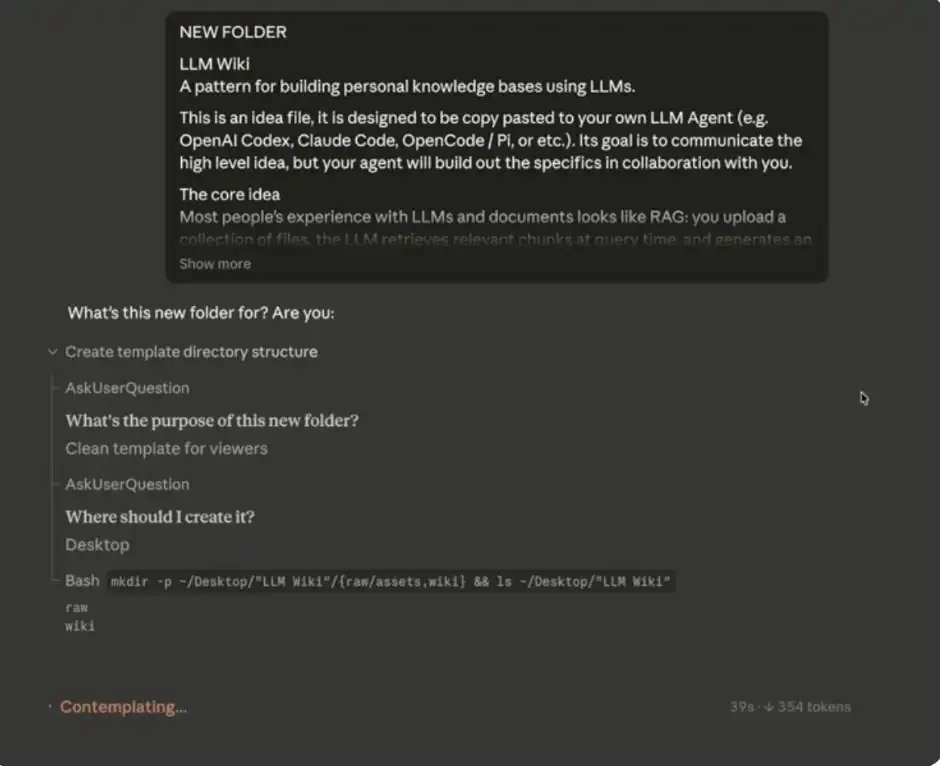
Claude Code Initial Input
Little tip: If you prefer, you can completely skip manually opening Obsidian. Just give the MD folder (your Vault) and associated data to Claude Code, and it can directly read, write, and modify these files—while the contents will automatically sync to your Obsidian "second brain."
5. Build Your Database
Once you have input the system prompt mentioned above, Claude Code will start asking you for some data sources to initialize and gradually fill your "second brain."
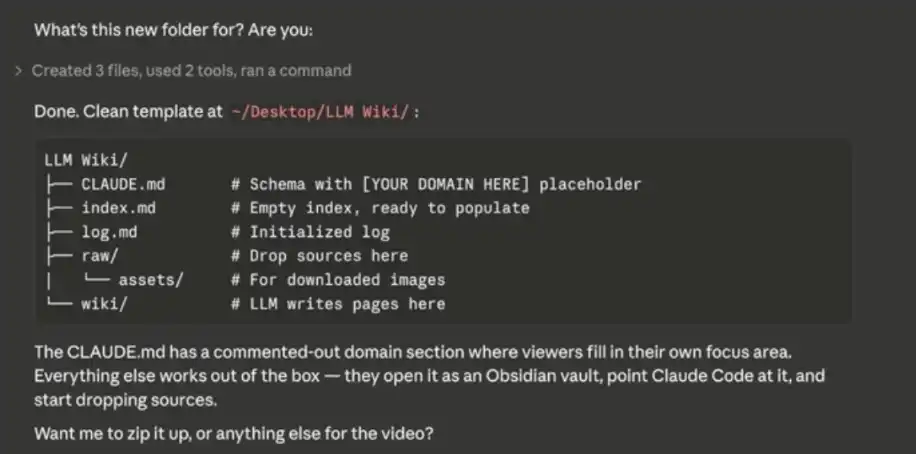
Build Your Database
You can think of Obsidian as a "blank notebook"—initially, you need to actively input content for the database to gradually develop. Importable content includes notes, CSV files, Markdown/text files, etc.
Some practical suggestions:
· Export data from your current note-taking tools
· If you use Notion, you can export as a CSV file
· Let Claude (or another large model) organize information about you to initialize your "second brain."
· Import existing articles, collections, inspirations, etc., in one go—this is the best time to establish initial data, and you can always supplement later.
It is important to note that a large database like mine does not form overnight but is accumulated over time through continuous input.
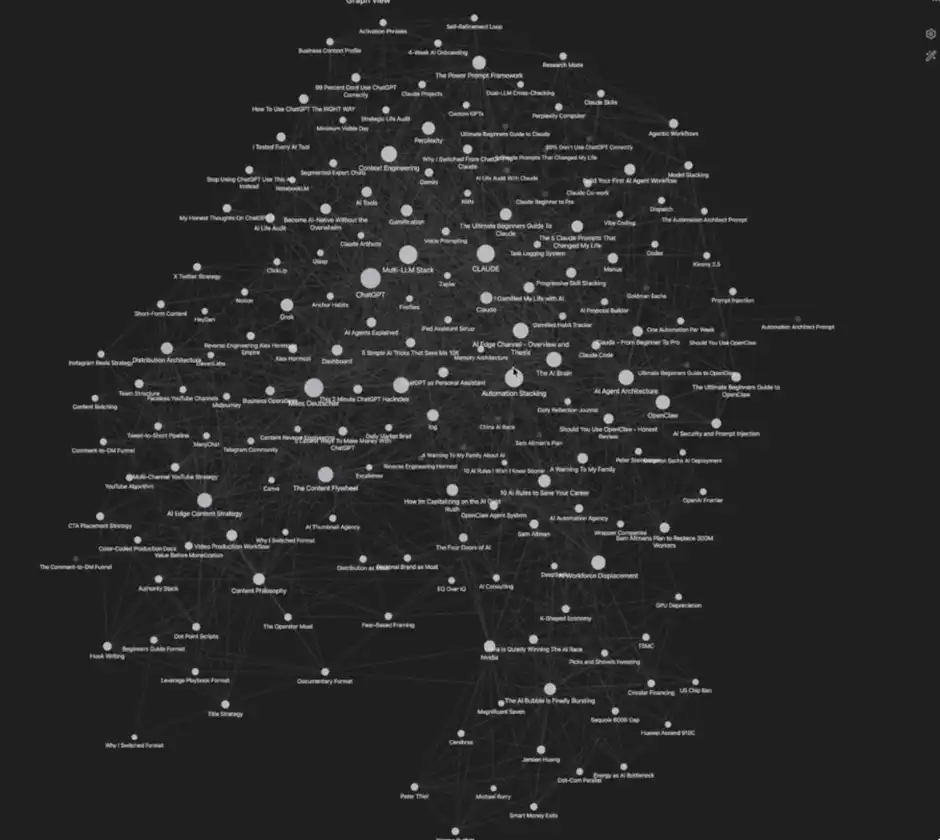
My Database
That's it, your "AI second brain" has been set up and is ready to run. Next, I will share some advanced tips to help you use it more efficiently.
Advanced Tips
1. Obsidian Chrome Extension
If you want to add data to the system more easily, just install the Obsidian Chrome extension. It allows you to click "Add to Obsidian" while browsing the web, saving content directly into your knowledge base. This will make the process of building your "second brain" very convenient.
I personally often use this feature to collect articles, webpage data, research materials, and so on.
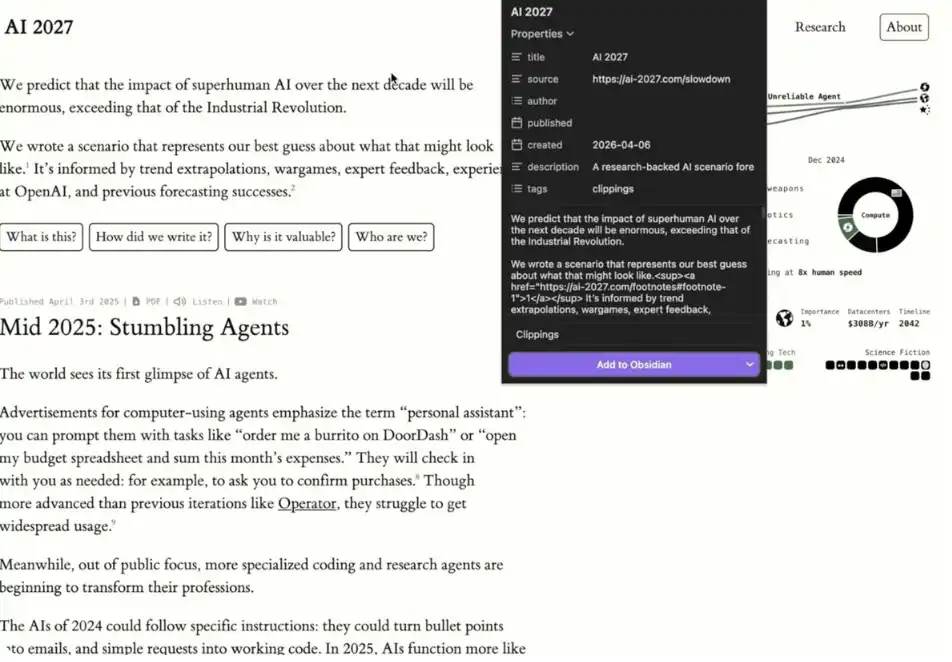
Example: Using Obsidian Chrome Extension
It is important to note that data added through the extension is initially just an "isolated data source."
You can then tell Claude Code, "I just added [x] in Obsidian; please help me integrate this content into my Wiki."
Claude Code will automatically link the new data with existing content, creating connections and embedding it into your "second brain." This is also why this tool combination is powerful.
2. Separate Vaults
Andrej Karpathy suggests using two separate Vaults:
· One for work/business content
· One for personal life/goal management
From my own experience, this structure is the clearest and most effective.
3. Practicality
I have found the most valuable use of this system to be quite simple: making your LLM prompts more precise.
When the model can access your full personal information, business plans, writing background, and more context, it can generate more "customized," high-quality prompts that are closer to reality (even "super prompts").
Of course, the applications of this system are far more extensive, but if you want to start from the most practical scenario, I strongly recommend starting with "improving prompt quality."
4. Orphans
In Obsidian, "Orphans" refers to those data points that have not established connections with other notes.
This feature is useful because it can help you:
· Identify ideas that have not been integrated
· Discover "weak areas" in the database
· Determine which content is worth further expansion or deepening
In other words, it is not only an organizing tool but also a mechanism that helps you uncover blind spots in your thinking.
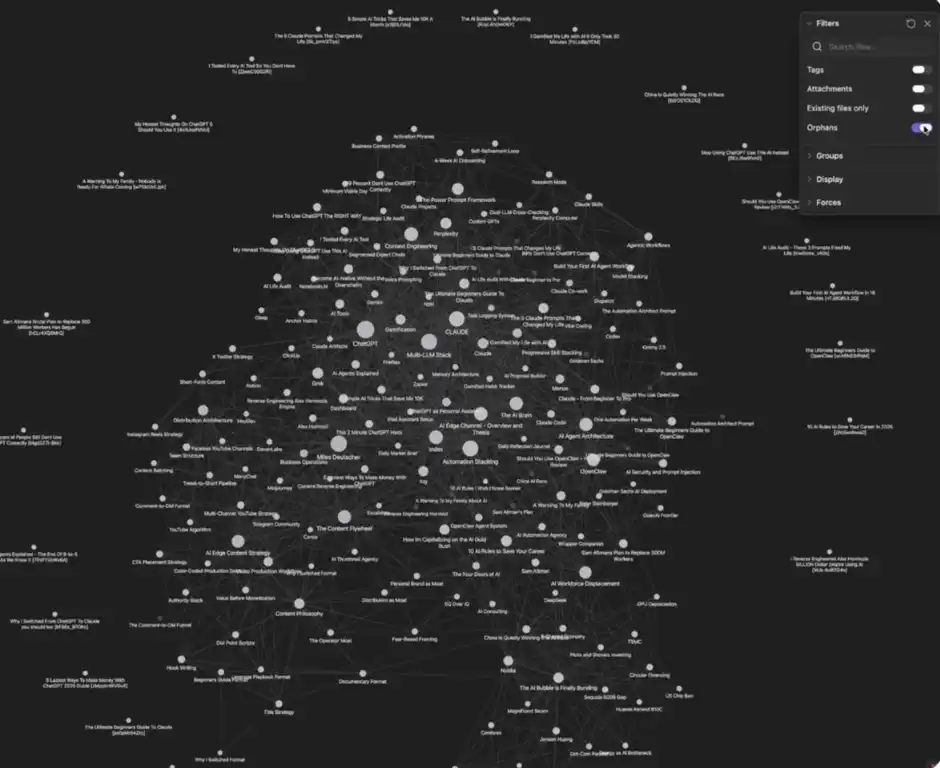
Orphans
You can click the "three dots" in the upper right corner to find and enable the Orphans switch to see which content has not yet established connections.
Potential Drawbacks of This System
We have covered many advantages, use cases, and optimization methods, so what are its shortcomings? Under what circumstances might you find this system unsuitable?
1. People not accustomed to visualization
A core advantage of this system is its ability to visually present data. If you do not rely on or are not accustomed to this method, it may be of limited help to you.
2. Requires some maintenance cost
If you are not willing to consistently maintain a database, this system may not be for you. Although maintenance costs are low, without continuous input into the "second brain," it will be hard to derive value from it.
3. Storage space
All content will be stored as Markdown files locally, which will occupy some device space. This also needs to be considered in advance.
免责声明:本文章仅代表作者个人观点,不代表本平台的立场和观点。本文章仅供信息分享,不构成对任何人的任何投资建议。用户与作者之间的任何争议,与本平台无关。如网页中刊载的文章或图片涉及侵权,请提供相关的权利证明和身份证明发送邮件到support@aicoin.com,本平台相关工作人员将会进行核查。


